Last Updated on October 8, 2026
Coast Flashlight Is Not Working? Here’s How to Fix It
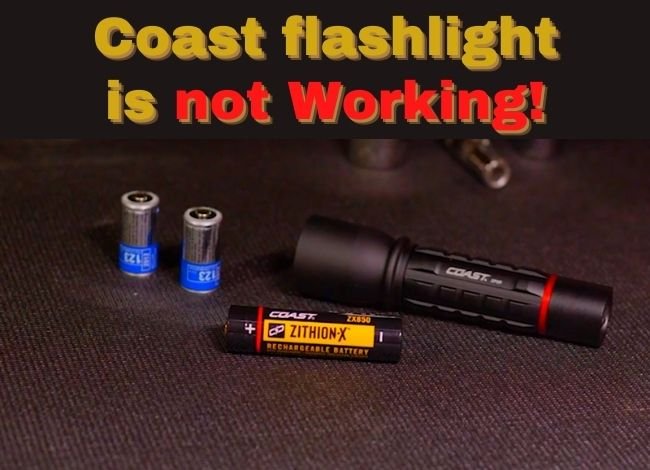
Coast flashlights are known for their durable construction, dependable brightness, and easy-to-use designs. Whether you use one for camping, household repairs, roadside emergencies, or everyday work, a reliable flashlight is something you don’t want to be without.
However, even a well-built flashlight can stop working unexpectedly. Sometimes the problem is a dead battery. Other times, it’s a loose connection, damaged switch, or charging issue.
If your Coast flashlight is not working, don’t assume you need to replace it immediately. Several common problems can be identified and fixed at home without opening the internal electronics.
This guide covers the most likely causes, safe troubleshooting steps, battery replacement, and when to contact Coast for repair.
Why Your Coast Flashlight Is Not Working
If you press the power button and nothing happens, start with the battery and accessible electrical connections. These are easier to check than internal components.
1. Dead or Damaged Battery
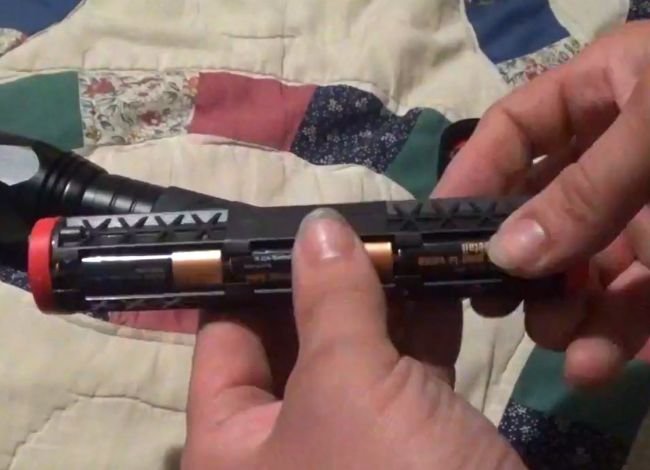
A discharged or damaged battery is one of the most common reasons a flashlight stops working.
Disposable batteries lose power during use and storage. Rechargeable batteries also lose capacity as they age. In some cases, a flashlight may turn on briefly before shutting off because the battery can no longer supply enough power.
Solution: Remove user-replaceable batteries and inspect them for leakage, swelling, or corrosion. Install fresh batteries or a fully charged replacement approved for your specific Coast model.
Check the positive (+) and negative (-) markings. Never assume the negative terminal should always face the tail cap, since battery orientation varies by design.
2. Loose or Damaged Electrical Connections
Some Coast flashlights use springs and metal contacts to complete the electrical circuit. Others have internal circuit-board connections and wiring.
If a contact becomes loose, dirty, or damaged, the flashlight may flicker or fail to turn on.
Solution: Check accessible battery contacts and make sure the battery compartment is properly closed. If you suspect damaged internal wiring or electronics, contact Coast rather than forcing the housing apart.
For certain models with user-accessible components, our Coast flashlight disassembly guide explains how the PX20 and G25 are constructed. Don’t apply those disassembly steps to a different model without checking its manual.
3. Faulty Power Switch
The power switch gets used frequently and may eventually become worn or damaged.
Signs of a switch problem include a button that feels stuck, unusually loose, or unresponsive. The flashlight might also work only after several presses.
Solution: Inspect the outside of the switch and gently remove visible dirt with a soft brush. If the switch remains unresponsive with a known-good battery, it may need professional repair or replacement.
4. Moisture or Water Damage
Many Coast flashlights offer water resistance, but protection varies by model and IP rating. A loose battery cap or damaged seal can allow moisture inside.
Solution: Turn off the flashlight and disconnect charging power. Remove user-replaceable batteries if it is safe to do so.
Allow accessible parts to dry in a ventilated location. Don’t use a hair dryer, oven, or direct heat. If moisture has reached sealed electronics or the rechargeable battery, stop using and charging the light until it has been assessed.
5. LED or Driver Failure
LEDs generally last much longer than traditional incandescent bulbs, but they can still fail. The electronic driver that controls the LED can also develop problems.
If the flashlight has a working battery, clean contacts, and a functioning switch but produces no light, an internal fault becomes more likely.
Solution: Contact Coast for repair or warranty assistance. Most modern LED flashlight heads aren’t designed for ordinary bulb replacement.
How to Change the Battery in a Coast Flashlight
If your Coast flashlight is not working, replacing the battery is one of the first things worth trying. The process is usually simple on models with user-accessible battery compartments.
Keep in mind that rechargeable models and some specialized designs may use different access methods.
Step 1: Open the Battery Compartment
Turn off the flashlight and disconnect any charging cable.
Depending on the model, the battery compartment may open through a removable tail cap, head section, or separate battery cover.
Hold the flashlight firmly and unscrew the designated cover according to the manual.
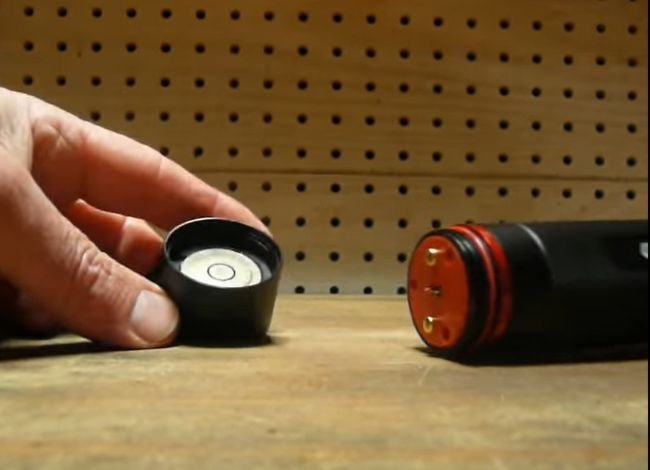
If the cover is difficult to remove, use a soft cloth for better grip. Avoid pliers or excessive force that could damage the threads.
Step 2: Remove the Old Batteries
Carefully take out the batteries or removable battery holder.
Inspect the cells for leakage, unusual discoloration, corrosion, or swelling. Also check the metal contacts inside the compartment.
If the batteries are swollen or stuck, don’t puncture them or force them out with a metal tool.
Important: Battery leakage can damage the contacts. If you find heavy corrosion, seek service advice before installing new batteries.
Step 3: Install New Batteries Correctly
Install fresh, compatible batteries and follow the polarity markings on the flashlight or battery holder.
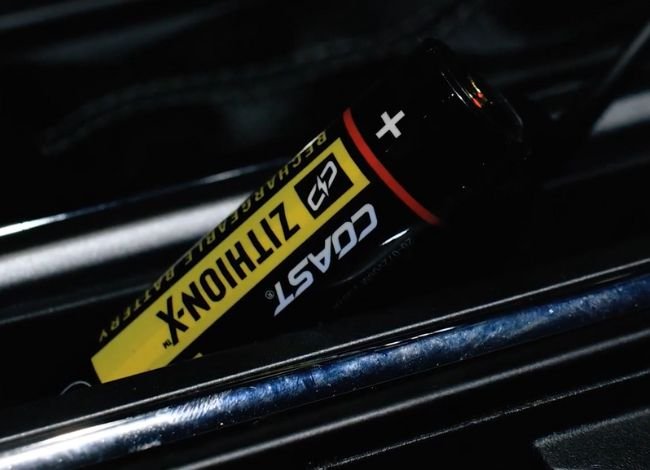
Don’t mix old and new batteries, or different chemistries in the same flashlight.
Some Coast models support multiple approved battery configurations. However, this doesn’t mean every lithium-ion battery can replace an alkaline battery of similar size.
If you own a G32, HP7, or HP550, our Coast flashlight battery replacement guide includes instructions for those models.
Step 4: Reattach the Flashlight Cover
Reinstall the battery holder if applicable, then carefully screw the cap back into place.
Make sure the threads engage smoothly and any removable O-ring sits correctly. Tighten the cover securely without over-tightening it.
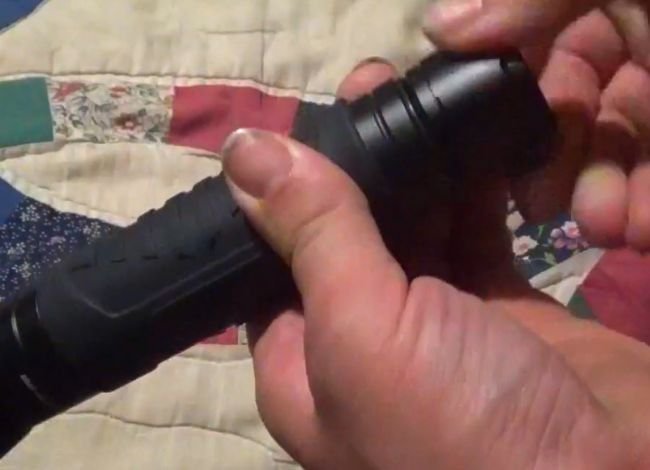
Turn on the flashlight. If it works normally, the battery or its connection was likely responsible for the problem.
Step 5: Charge the Flashlight if Applicable
If you’re using a rechargeable Coast model, follow its charging instructions rather than treating it like a standard alkaline-battery flashlight.
Use the specified charging cable, cradle, or compatible power adapter.
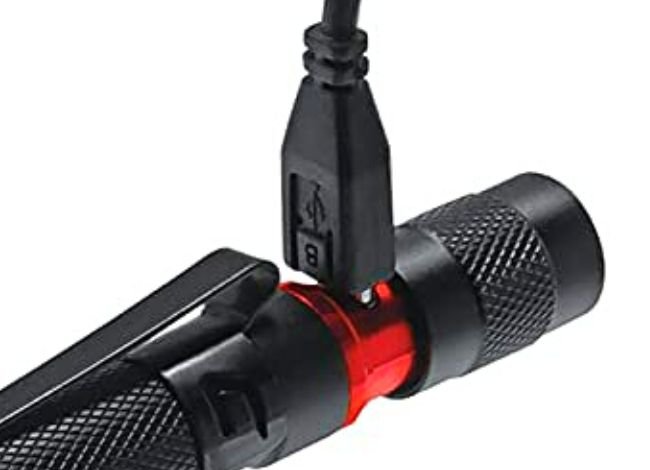
Check the charging indicator if your model has one. If charging doesn’t begin, inspect the cable, port, and power source for obvious problems.
If the flashlight or battery becomes unusually hot, stop charging immediately.
Common Battery Replacement Mistakes
- Installing batteries in the wrong direction
- Using an unsupported battery voltage or chemistry
- Mixing discharged and fresh batteries
- Ignoring dirty or corroded contacts
- Forcing or over-tightening the battery cover
- Charging disposable batteries
More Troubleshooting Tips for a Coast Flashlight That Won’t Turn On
If replacing the battery doesn’t help, a few additional checks may identify the problem.
1. Check the Power Switch
Press the switch normally and notice whether the button feels different from usual.
If the light turns on intermittently, the switch or an electrical contact may be faulty.
Check your manual for any lockout feature or special operating sequence. Avoid opening a sealed switch assembly without manufacturer instructions.
For a closer look at common switch failures, read our guide on how to fix a push-button flashlight. Some repairs described there may not be suitable for sealed Coast models.
2. Clean the Battery Contacts
Remove the batteries and inspect accessible springs and terminals.
For light dirt, use a dry cotton swab or soft brush. Where appropriate, a little isopropyl alcohol on a swab can help clean exposed metal contacts.
Don’t soak the compartment or scrape contacts aggressively. Allow everything to dry before installing batteries.
3. Inspect for Water Damage
Check for a foggy lens, visible droplets, corrosion, or moisture inside an accessible battery compartment.
If water has reached internal electronics, simply drying the outside doesn’t guarantee the flashlight is safe to use.
Disconnect power and contact Coast if internal moisture or corrosion remains.
4. Check for Loose Components
A loose battery cap can interrupt the circuit on some models.
Check removable covers, battery holders, and accessible contacts. Make sure everything is properly seated.
A damaged O-ring should be replaced with the correct part before the flashlight is exposed to moisture again.
5. Check the Operating Mode
Some Coast flashlights have multiple lighting modes or electronic controls.
If the flashlight behaves unexpectedly, review the exact model’s operating instructions.
Don’t rely on a universal reset method. Holding the power button for a particular number of seconds isn’t a confirmed reset procedure for every Coast flashlight.
6. Test the Battery With a Multimeter
If you have a multimeter, a voltage check can help identify a discharged battery.
A fresh 1.5V alkaline AA or AAA battery may read approximately 1.5 to 1.6 volts without load. A fully charged 3.6V or 3.7V nominal lithium-ion cell commonly reads around 4.2 volts.
However, voltage alone doesn’t prove that a battery is healthy. A worn-out cell may show reasonable voltage without supplying enough power when the flashlight is switched on.
Never short battery terminals while testing. You can also read our flashlight battery types guide to understand the differences between alkaline, lithium, and rechargeable cells.
Coast Flashlight Repair or Replacement: Which Is Better?
If your Coast flashlight is still not working after basic troubleshooting, deciding between repair and replacement depends on the fault and the product’s condition.
When Repair Makes Sense
Repair or maintenance may be worthwhile when:
- The batteries simply need replacing.
- Accessible contacts are dirty.
- A removable battery cover is loose.
- The charging cable has failed.
- A manufacturer-approved replacement part is available.
These fixes may be inexpensive. However, internal electronics, sealed switches, and LED assemblies can require professional service.
When Replacement Makes More Sense
Consider replacing the flashlight if:
- The internal driver or LED assembly has failed.
- The housing is cracked or badly corroded.
- Water has damaged sealed electronics.
- Replacement components aren’t available.
- Repair costs approach the price of a suitable replacement.
Before buying anything, check Coast’s warranty coverage. A qualifying manufacturing defect may be covered.
Coast Flashlight Replacement Options
If repair isn’t practical, choose a replacement based on how you use your flashlight rather than brightness alone.
Coast HP7R Rechargeable Flashlight
The HP7R series is designed for users who want a rechargeable flashlight with an adjustable beam and flexible charging options. Different generations have different specifications, so check the exact version before comparing output or runtime.
Coast G20 Inspection Penlight
The G20 is intended for close-range inspection rather than long-distance illumination. Its slim design is useful for mechanics, electricians, and general household work.
Coast Polysteel 600
The Polysteel 600 series emphasizes rugged construction and practical outdoor use. Battery compatibility and performance vary by version, so confirm the model before purchasing.
For a broader comparison of models and features, see our Coast flashlight reviews and buying guide.
What to Look for in a Replacement Flashlight
| Feature | What Matters |
|---|---|
| Battery | Easy replacement or convenient charging |
| Brightness | Enough output for intended tasks |
| Runtime | Useful operating time at your preferred mode |
| Water Resistance | Verified IP rating suitable for your environment |
| Beam | Focused throw, flood, or adjustable beam |
| Warranty | Coverage appropriate to the specific product |
For indoor work, comfortable controls and a useful flood beam may matter more than extremely high lumens. Outdoor users may prefer longer beam distance and better weather resistance.
Coast Flashlight Warranty and Support
Coast offers a lifetime warranty against manufacturing defects for its qualifying LED flashlights and headlamps in the United States and Canada.
However, coverage doesn’t include normal wear and tear, misuse, or damage from battery leakage. Batteries and charging accessories have separate warranty conditions.
For warranty questions or repairs outside the United States and Canada, contact the appropriate regional distributor.
You can review the latest terms or submit a request through the official Coast warranty page.
Frequently Asked Questions
Why does my Coast flashlight turn on and then shut off?
A weak battery, loose contact, or failing switch may cause intermittent operation. Some high-output models also reduce brightness automatically to manage heat. Check the battery and accessible contacts first.
Why is my Coast flashlight getting dim?
Low battery power, dirty contacts, or automatic brightness regulation may be responsible. Start by checking the battery and selected mode.
If it remains unusually weak, see our guide on why a flashlight grows dim for additional troubleshooting advice.
How long should Coast flashlight batteries last?
Runtime depends on the model, battery type, and selected brightness. Low settings generally provide much longer runtime than maximum output. Refer to your flashlight’s specifications for accurate figures.
Can I use third-party batteries?
Only use batteries that meet the exact specifications approved for your model. Size alone doesn’t guarantee compatibility, particularly when comparing alkaline and rechargeable lithium-ion cells.
Why isn’t my rechargeable Coast flashlight charging?
Check the charging cable, power adapter, port, and battery condition. If the battery is damaged or overheating, stop charging and seek support.
Where can I find Coast replacement parts?
Contact Coast customer support or an authorized dealer. Availability depends on the flashlight model and the component required.
Coast Flashlight Troubleshooting Checklist
| Problem | First Thing to Check |
|---|---|
| Won’t turn on | Battery charge and polarity |
| Flickering | Battery contacts and tail cap |
| Dim light | Battery condition and selected mode |
| Switch unresponsive | Visible dirt, damage, or lockout setting |
| Not charging | Compatible cable, port, and power source |
| Water inside | Disconnect power and seek service advice |
| Still not working | Warranty or professional repair options |
Final Thoughts: What to Do When Your Coast Flashlight Is Not Working
When your Coast flashlight is not working, start with the simplest checks before assuming something serious has failed.
Try fresh or fully charged batteries, check their orientation, inspect the accessible contacts, and make sure the battery compartment is secure.
If the flashlight still won’t work, the problem may involve the switch, charging electronics, or LED assembly. In that situation, Coast customer support can help determine whether repair or warranty service is available.
A little maintenance can go a long way. Keeping the contacts clean, using approved batteries, and storing the flashlight properly can help prevent many common failures.
is there a warranty on this flashlight ? do you repair them wouldn’t think a fall from the truck seat would cause this
Coast 634 flashlight slipped off my lap sitting in a chair hitting carpeted floor and has never worked again. Don\t buy this junk!!!
Coast G34 flashlight (sorry G looked like a 6.)
I have a G70 flashlight that quit working. I thought maybe batteries were out but I put new ones in and it still does not work. The flashlight is not abused because it stays in my bedroom. What could the problem be?
i need a charge cable for model xp20r
Hi Paul, the COAST XP20R uses a USB-C charging cable. You should be able to use a good-quality USB-C cable with a normal USB wall adapter, or you can contact COAST support for an original replacement cable.
If the light still does not charge with another USB-C cable, the issue may be with the battery, charging port, or charger rather than the cable itself.